A recurring routine
Finding a place to work is a recurring need, not a one-off.
Mobile app
Work & study
Personal concept
Sole designer, UX & UI
As a freelancer, I kept looking for good places to sit and work. Quork is a personal project that turns that familiar search into a focused product concept.
A good coffee is only the beginning.People choose cafés, libraries and coworking spaces without knowing what they’ll find. A highly rated place can still be noisy, full, or short on power outlets. So they waste time moving between places instead of working.
Finding another place interrupts the work before it even begins. The design challenge was to make practical fit easier to judge, before leaving home.
I surveyed students, freelancers and remote workers and had informal conversations about how they choose where to work. These findings focus on recurring needs and the information missing before a visit.
Finding a place to work is a recurring need, not a one-off.
Cafés were a common choice for everyday work.
People relied on online reviews and recommendations from friends.
Practical details such as noise, seats and outlets were difficult to judge before arriving.
I compared broad place discovery with workspace booking. Quork focuses on practical fit for an everyday work or study session, and that value still needs to justify using a separate app.
 Google Maps
 Gable
GableScroll across to compare the details
| Task | Google Maps | Gable | Quork concept |
|---|---|---|---|
| Find a location | ✓ Place search, maps and reviews | ✓ Discover and book workspaces | Concept: discover places for work or study |
| Judge conditions | Limited: popular times and visitor reviews provide context | Limited: workspace details inform a booking | Concept: bring work-related details forward |
| Choose by practical needs | Limited: general place information and reviews | ✓ Workspace search and booking criteria | Concept: prioritize Wi-Fi, quiet, power and food |
| Trust changing information | Conditions can differ from a past review or estimate | Availability and listed amenities support booking | Open question: how reports stay recent and trustworthy |
✓ Existing capability · Limited: relevant with constraints · Concept: proposed direction, not a tested result.
Make Wi-Fi, quiet, power and food explicit search preferences.
Explore user reports, while treating freshness and participation as questions to test.
Keep amenities and visitor context visible in the place profile.
Include reviews from people who worked there.
Based on the survey and informal conversations, these composites frame a flexible freelance day and a longer study session.
Freelance designer
Less searching. More creating.Unexpected noise or missing practical details can turn a promising café into another search.
A quick way to compare atmosphere, connectivity and essentials before leaving home.
Preferences for today’s work, then a place profile that keeps amenities and visitor context together.
Computer science student
Find a spot. Stay in the zone.Full libraries, unpredictable noise and unreliable connectivity can interrupt a planned study session.
Enough practical information to judge whether a longer visit can work.
Nearby alternatives, clearly listed amenities and visitor feedback that adds context to a star rating.
Not this oneReturn to the results and compare another option.
Yes, it fitsSave the place, then plan the visit.
If a place does not fit, return to the results and compare another option.
The original sketches and wireframe show how search, map and place information connect. Keeping the area visible became a principle for comparison.
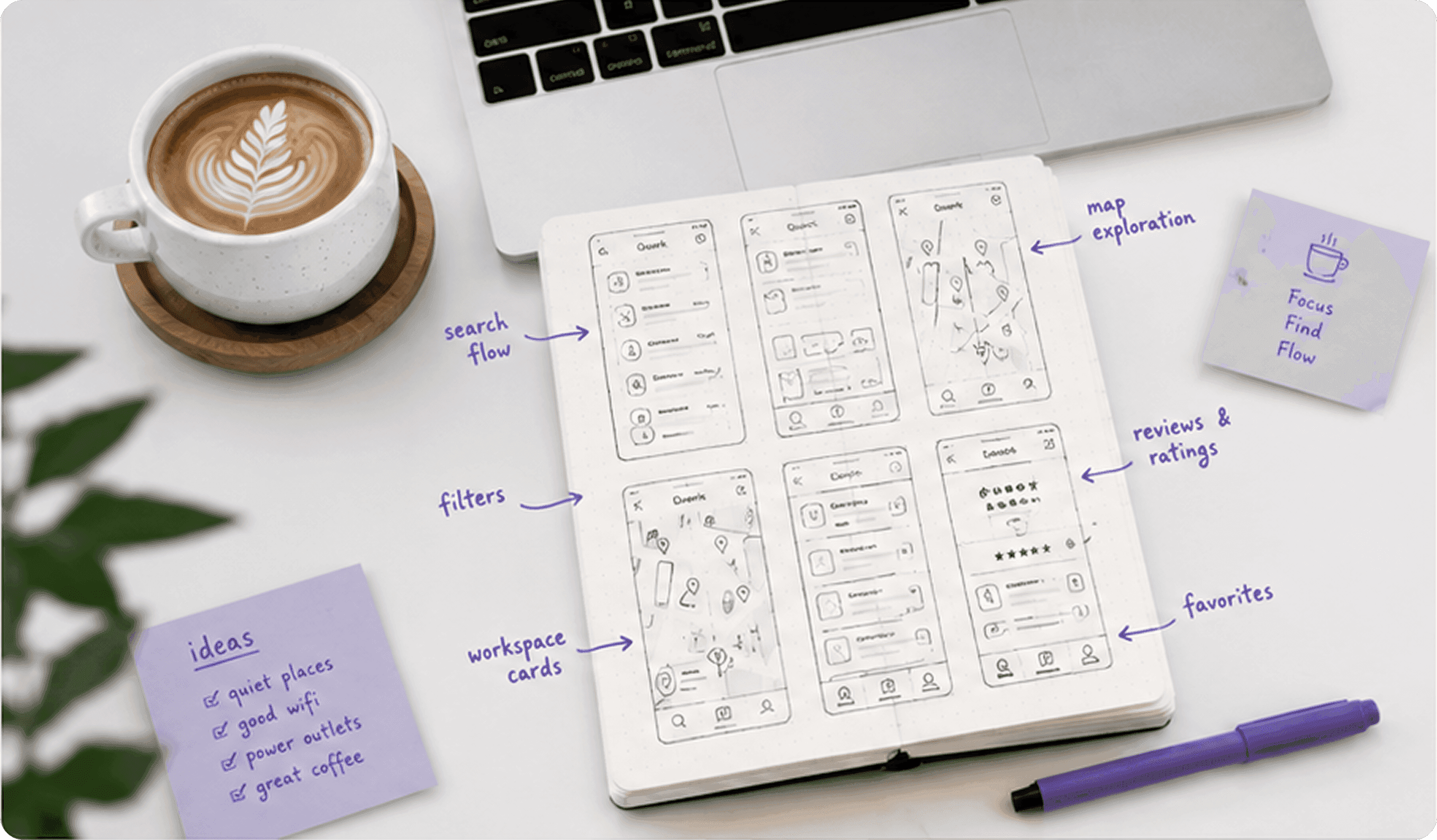
The early work explored how search, browsing and place details connect before adding visual polish.
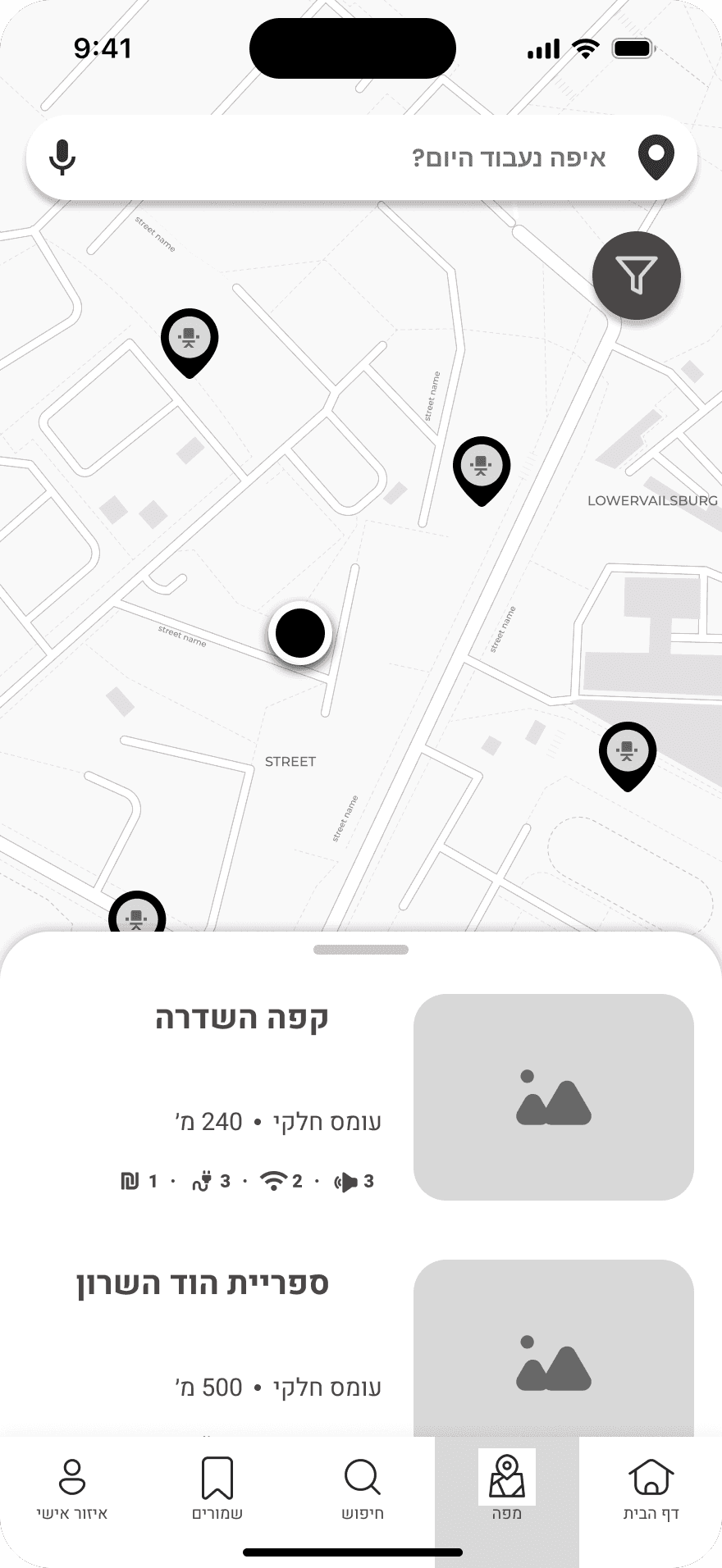
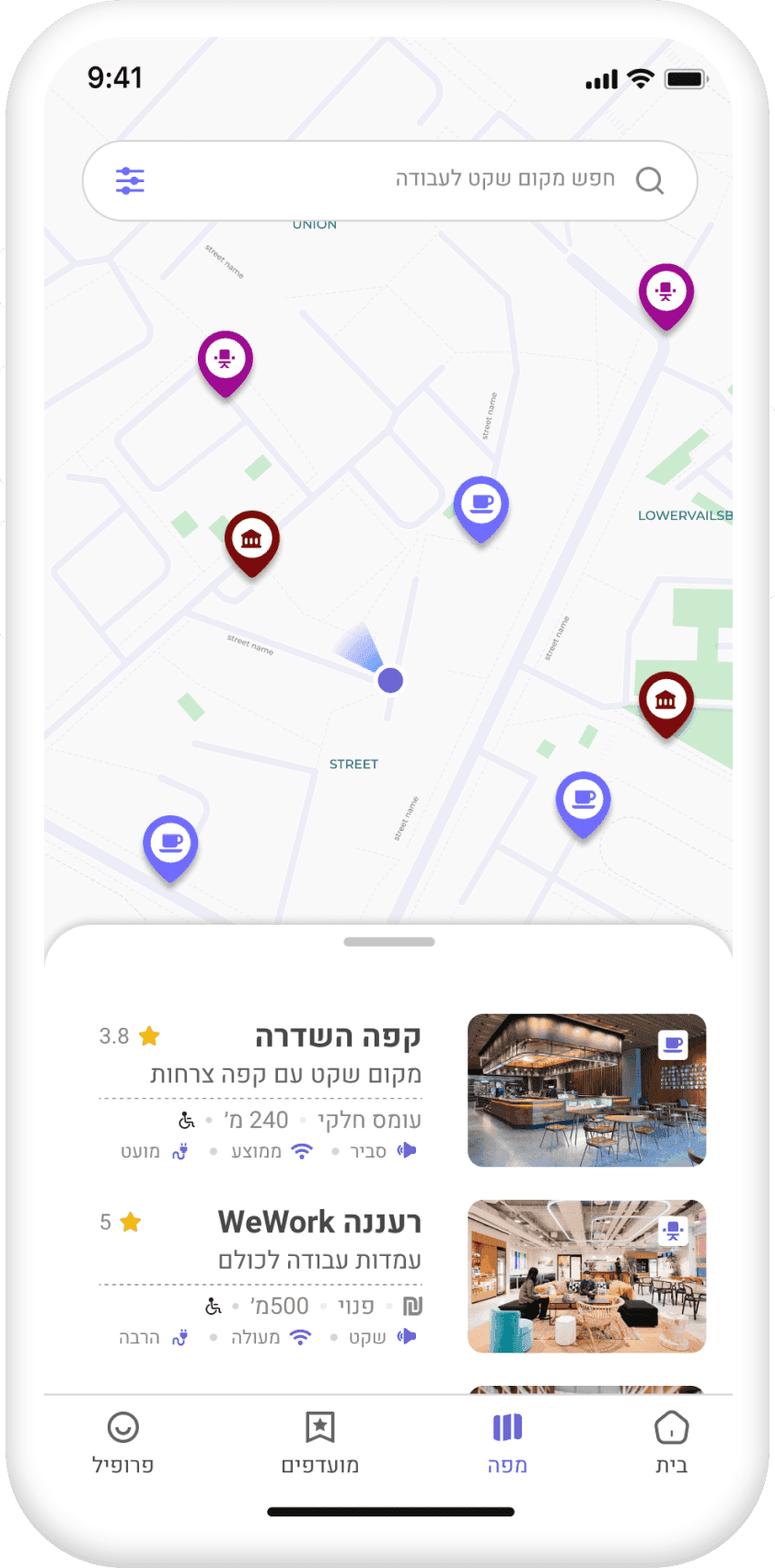
The map brings location into the choice. A place preview adds enough context to decide whether to open the full profile.
Three decisions turn a broad search for places into a more practical question: can I do my work here?
Make work preferences explicit, so the search reflects today’s needs.
Explore the decisionConnect map and list, so distance and practical fit can be considered together.
Explore the decisionHelp people choose a place using amenity details and specific visitor feedback.
Explore the decisionFollow the designed discovery flow through three original screens. Each step answers a more specific question before the person opens a place profile.
Where could I work today?
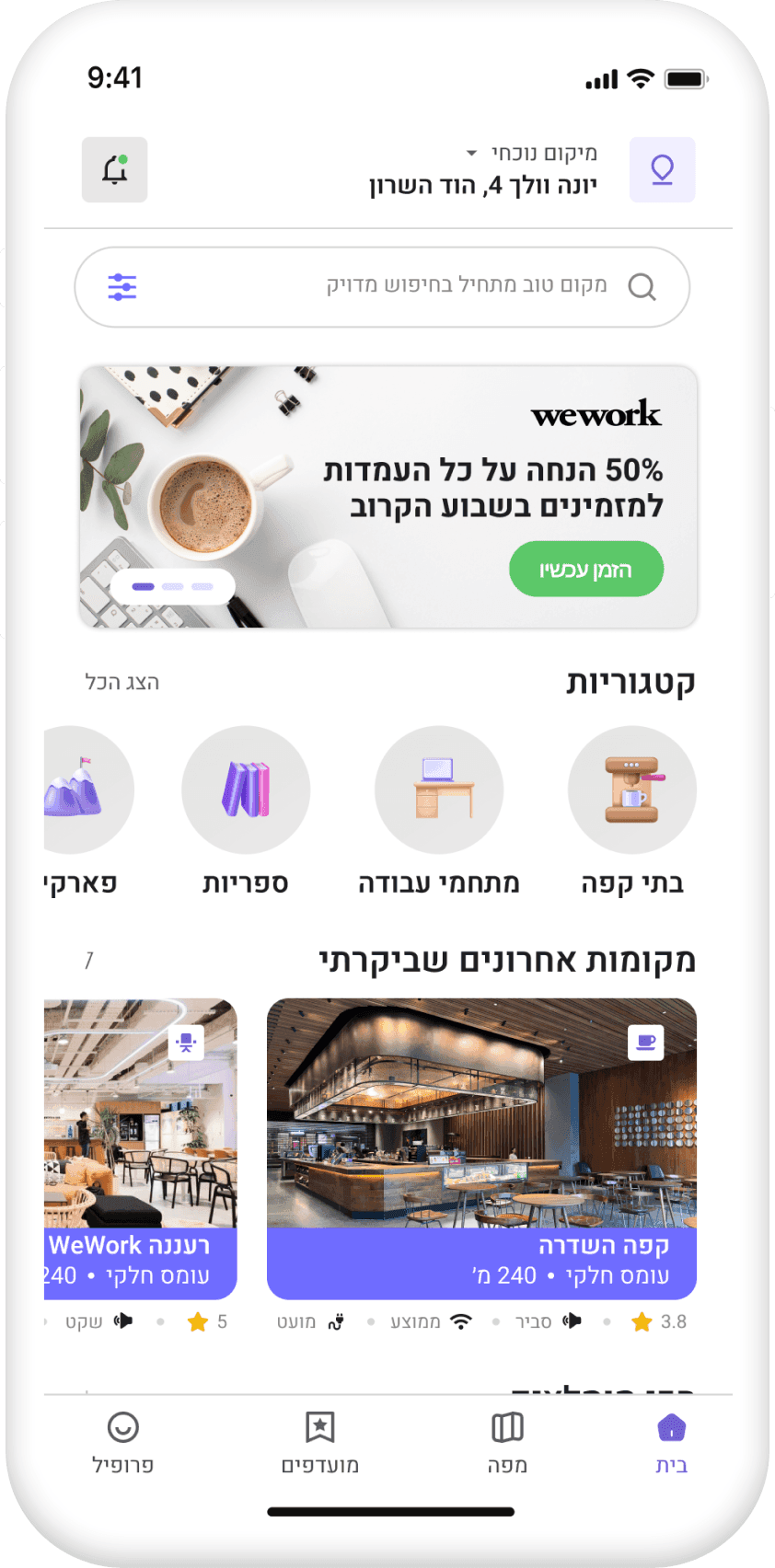
Search, location and place categories create an approachable starting point. People can begin browsing before defining every preference.
A simple entry point still needs a visible route to more specific criteria.
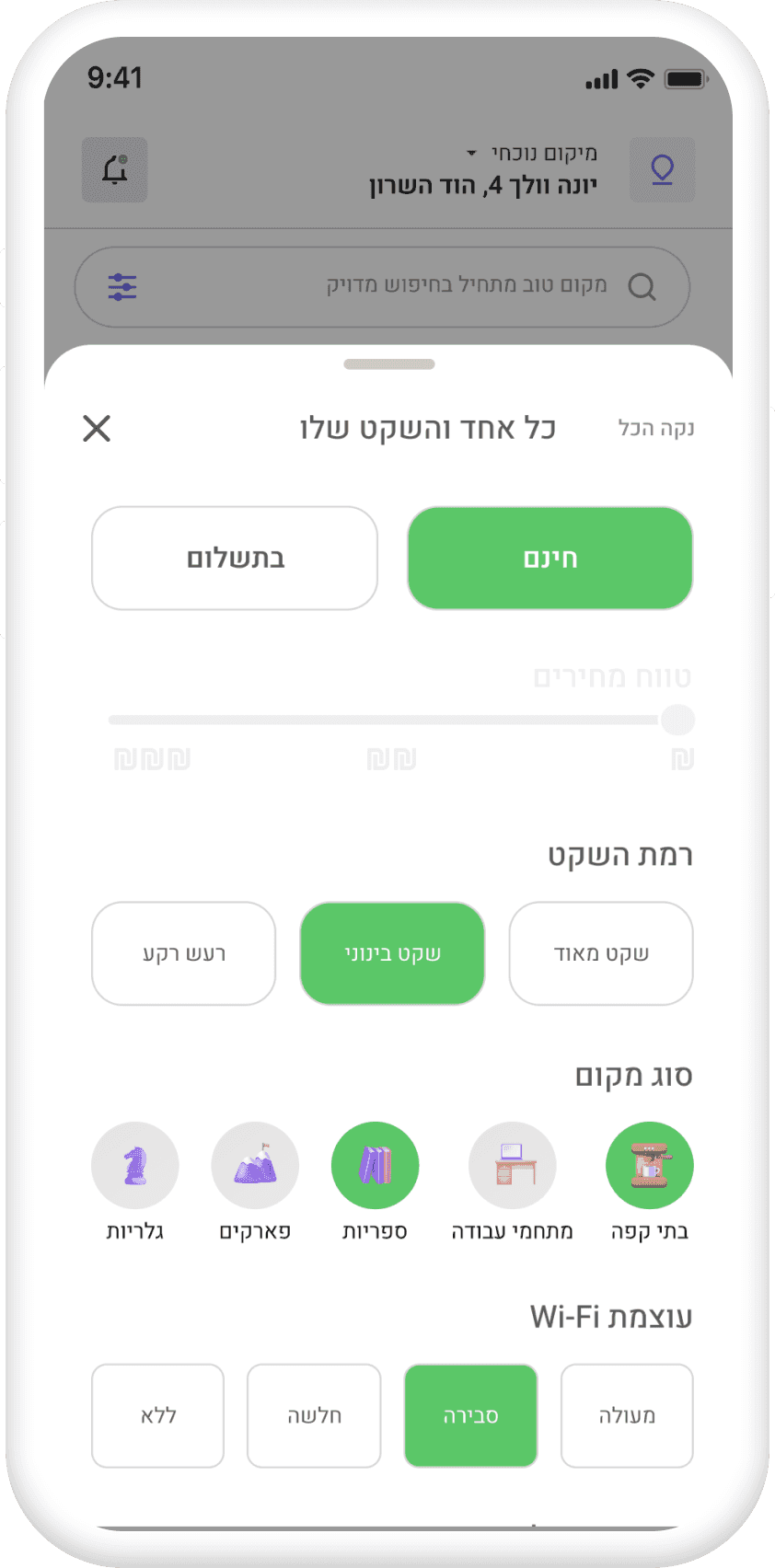
What does this work session need?
Explicit filters let people narrow the options around atmosphere, connectivity and amenities. The same person can need a different place on a different day.
More control adds more choices. Filters should support the search without becoming a task of their own.
Is this place worth the trip?
The map keeps the area visible while place previews support comparison. People can weigh location as part of their decision before opening the full profile.
A map cannot show every detail. The preview should help people decide whether to open the full profile.
A place profile brings practical information together. Specific visitor feedback adds context to the choice, while changing conditions still need a trustworthy source.
The place profile describes noise separately from the overall rating. Visitors can report how quiet their own visit felt.
Photos and basic place details help people understand the place they are considering.
Bring work-related amenities and essential information into the place profile.
Visitors can report noise, Wi-Fi and outlet availability alongside a written review. These details give a rating useful context.
Product question: changing conditions need a clear source and update time before they can be presented as live information.
More information can support a decision, but outdated information can mislead. A visitor review describes an experience. It does not guarantee current conditions.
The work brought me back to the details that make a place useful. Confidence depends both on what the interface shows and on what it can honestly promise.
Fit is personal. Explicit preferences make room for different tasks without assuming one ideal workspace.
Can someone choose a suitable place and explain why it fits, without falling back to several other apps?
Repeated filter changes and backtracking between places, signs that comparison still needs work.
How changing conditions are sourced, updated and communicated. That needs validation before claiming live information.
How recent does a user report need to be before people trust it?
What makes people actually check in and report noise or seats?
Can someone go from search to directions in under a minute?
A PERSONAL NOTE
Good design doesn’t only help people do things faster. Sometimes it helps them feel more comfortable doing them.