See who needs attention.
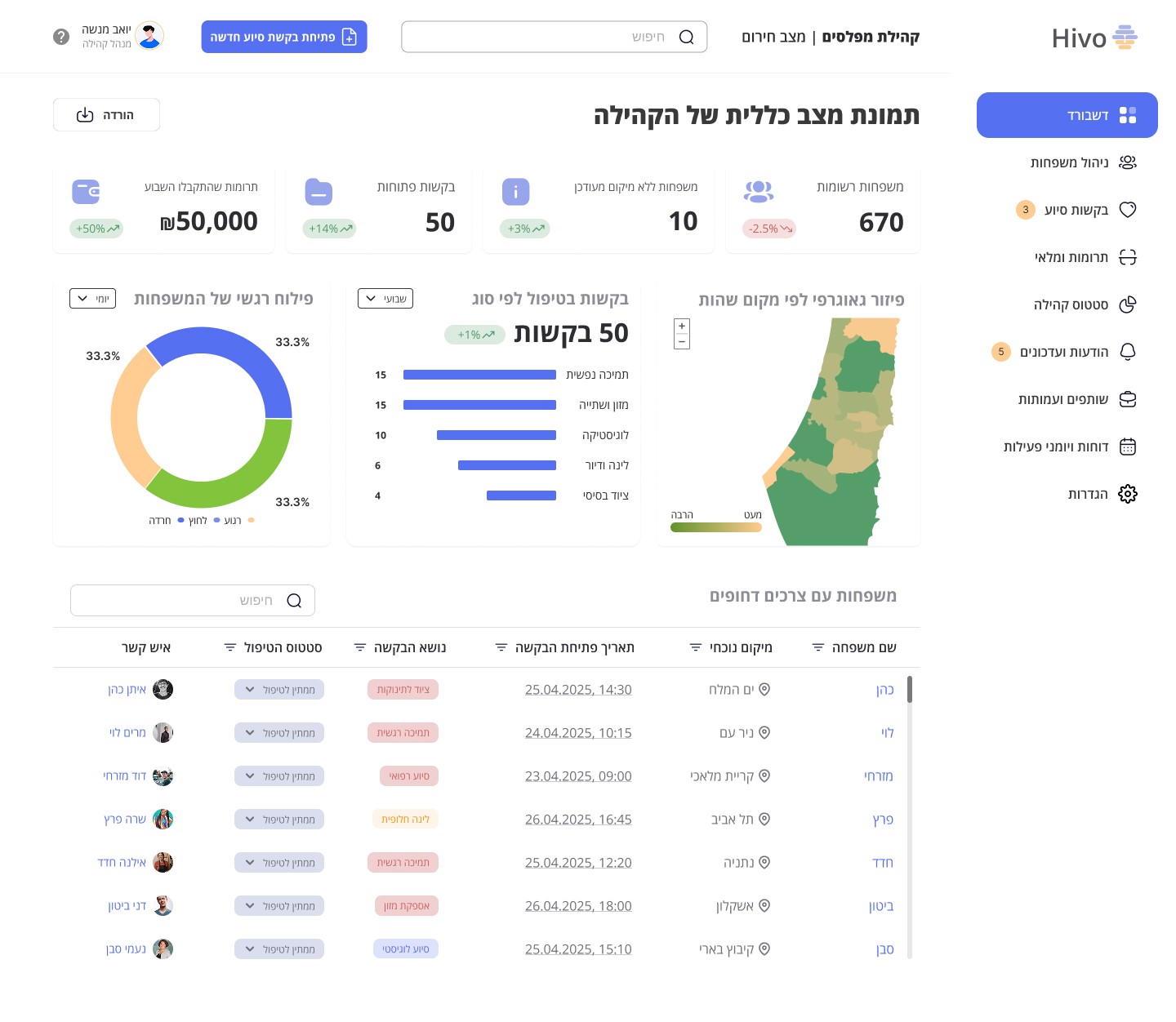
Start with the dashboard. Urgent needs sit alongside the community overview, so a manager can spot what deserves a closer look.
Make priorities visible without turning the whole dashboard into an alarm.


B2B SAAS
/
PERSONAL PROJECT
/
UX & UI DESIGN


02 / CONTEXT & PROBLEM
Community updates
Who’s coordinating medical needs?
Has anyone followed up?
Community needs.xlsx
Need
Owner
Update
Missed calls
Community coordination
Illustration of the existing workflow
Powerful enough for a crisis. Simple enough for every day.
How might we help a community manager see what needs attention, understand the family behind it and take the next step without piecing together scattered information?
03 / UNDERSTANDING THE WORK
The starting point
Families, locations and requests were spread across conversations and tools. Keeping a shared picture became a design priority.
The key questions
Who needs attention? What is their situation? What can the manager do next? These questions shaped the information hierarchy.
The design focus
Connect the community overview to family context and request creation. These are working design priorities, not measured outcomes.
Three needs that shaped the direction.
04 / UNDERSTANDING THE LANDSCAPE

Work management
Boards and workflows for organizing team work.
Family-first structure
Location, contacts and requests belong to one family record.

Nonprofit Cloud
Program and case management for nonprofit services.
Urgent needs in view
A dedicated dashboard table brings families needing attention forward.
Community engagement
A people database and tools for organizing engagement.
A clear daily overview
Families, requests and locations form the community picture.
Platform focus is based on official product documentation. Hivo’s column describes my design decisions.
05 / UNDERSTANDING THE MANAGER
Kibbutz Mefalsim · Former educator
Yoav is a working persona for the community manager. His role connects an urgent need with a family’s wider situation, while other requests keep arriving.
01 / VISIBILITY
Urgent needs can disappear.
Scattered updates make priorities hard to see. The dashboard brings the community picture and urgent needs into one view.
02 / CONTEXT
Every tool holds a different piece.
A manager needs the family’s context before acting. The family card connects location, contact details and requests.
03 / CLARITY
The next action competes with the data.
Finding information is only part of the work. A request can begin from the family context, giving the manager a clear next step.
06 / FROM INSIGHTS TO DECISIONS

07 / CONNECTING THE SYSTEM
Community, family, need and action form the product’s structure. Each step adds context, so the manager can move from a broad view to a specific request.
Families, requests and locations form the shared overview.
Contact details, location and requests stay together.
The family context gives meaning to an individual need.
Create an aid request from the family’s record.
The family is the anchor. The overview helps a manager find the situation, and the family record carries its context into the next action.
08 / DESIGNING FOR THE BIG PICTURE

The community overview keeps the wider situation visible. A dedicated area brings urgent family needs into focus.
01 / ORIENT
Read the situation
A community overview creates a starting point before the manager opens individual records.
02 / UNDERSTAND
Find what is urgent
Needs and priorities deserve a clear place in the hierarchy, so they do not compete equally with every detail.
03 / ACT
Keep the detail close
Family information stays one step away. The overview stays scannable while the context remains accessible.
THE TRADEOFF · A clear overview means keeping some detail one level deeper. The family view supplies that context before a request is created.
09 / FROM CONTEXT TO ACTION
Start with the dashboard. Urgent needs sit alongside the community overview, so a manager can spot what deserves a closer look.
Make priorities visible without turning the whole dashboard into an alarm.

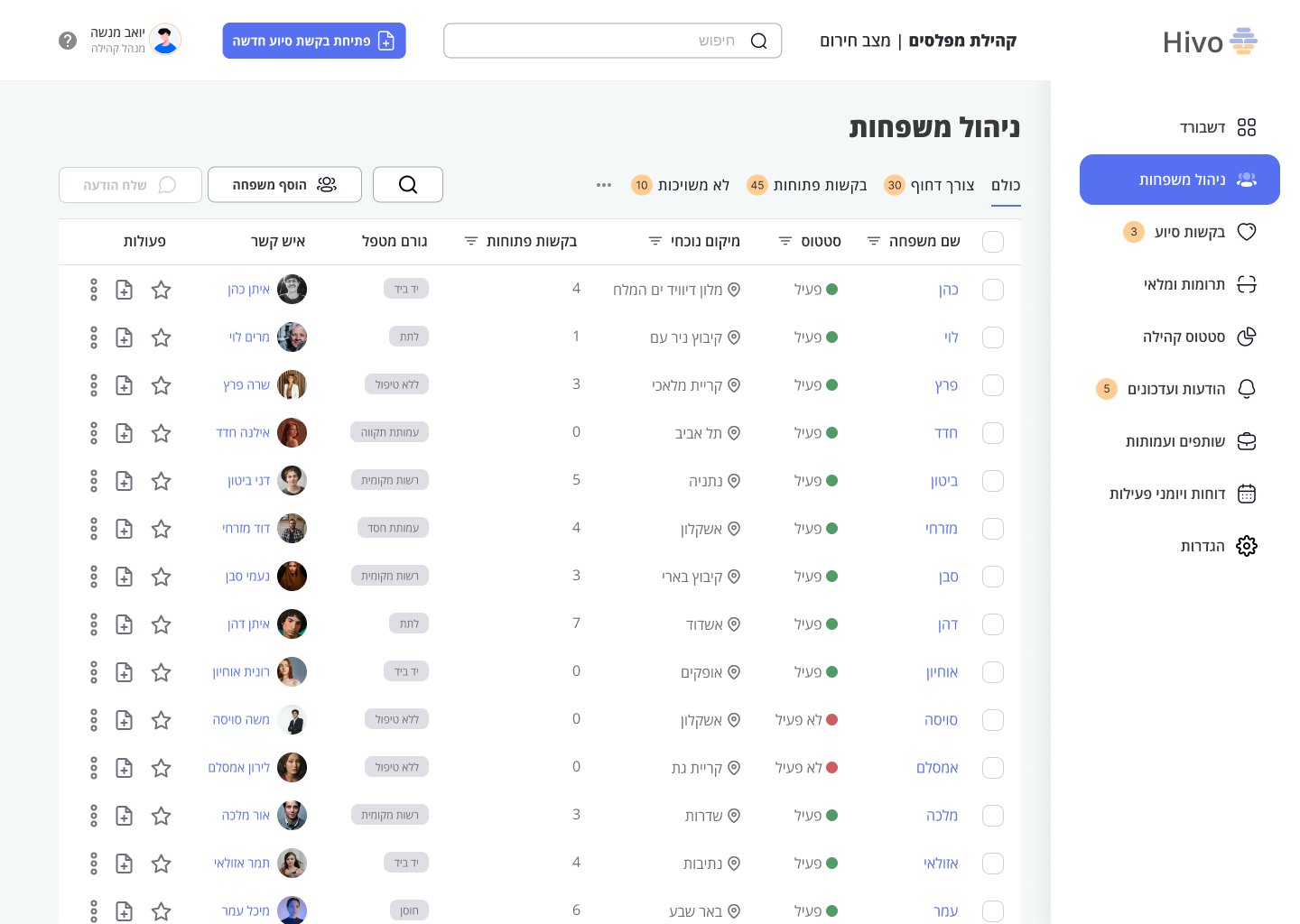
Move into family management. Location, status, contacts and request context help the manager find the right household.
Use the family as the link between the overview and an individual situation.

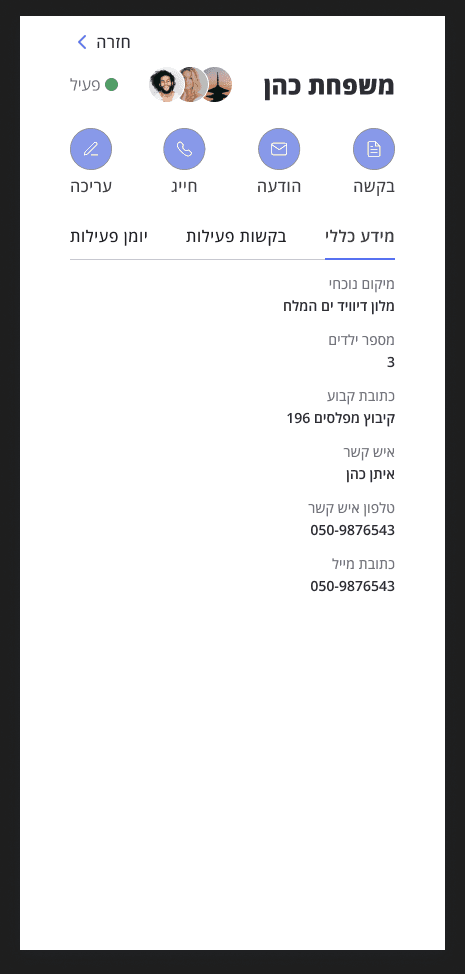
Open the family card to read its details and access its requests. The personal context stays close to the next action.
Reveal detail when it is needed, while keeping a connection to the family list.
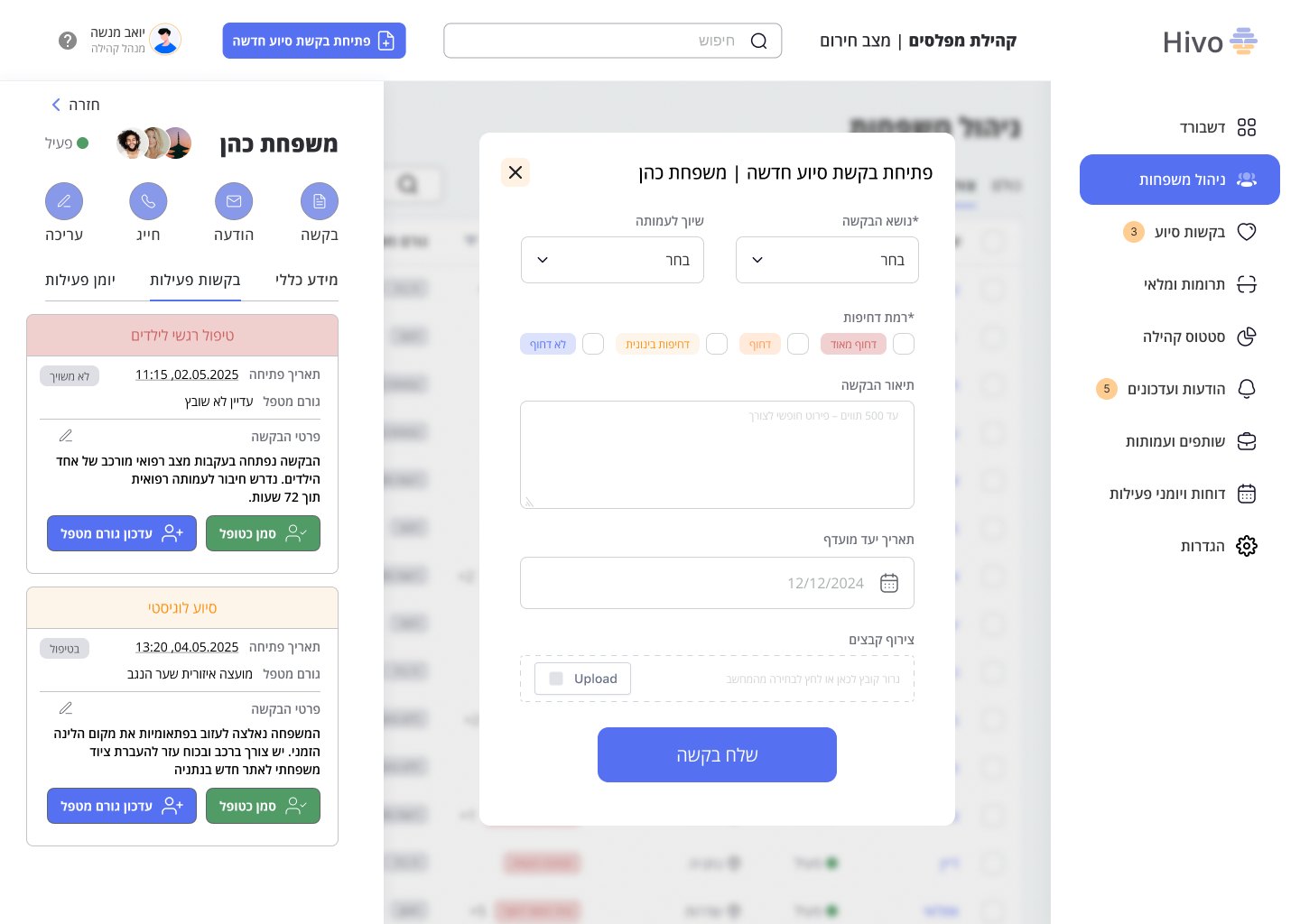
Create an aid request from the family context. The flow connects the need to a household instead of creating another disconnected message.
Keep the request and the people it concerns connected from the start.

Starting from a family keeps personal details and the aid request connected.
Finding the family adds a step. Search and the route from an urgent need must remain clear when time is limited.
This walkthrough shows the designed path through request creation. It does not demonstrate completed aid delivery or measured service outcomes.
10 / WHAT I LEARNED
Connect the pieces.
A family record becomes useful when identity, location and needs can be understood together.
Make priorities legible.
A calm interface still needs a strong hierarchy. Urgent information must stand out without making the whole dashboard feel urgent.
Keep action in context.
Request creation starts from the family. This preserves the relationship between the person, their situation and the help being requested.